1. Browse nearby items
Explore rental listings in your area across tools, electronics, outdoor gear, event equipment, household items, and more.

How it works
Renti-Fi brings discovery, booking, payment status, and in-app communication into one rental flow so renters and item owners can coordinate more easily.
Inside the app
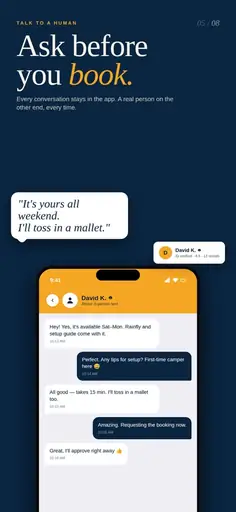
Ask questions and confirm practical details in the app so the conversation stays connected to the rental context before and after a booking request.
Explore rental listings in your area across tools, electronics, outdoor gear, event equipment, household items, and more.
Choose the item and rental period you need, then send a booking request to the owner.
Once a request is accepted, use in-app messaging to confirm the practical details of the rental, including pickup or delivery where available.
Complete payment through Renti-Fi’s supported payment flow. Booking and payment records stay connected to the rental.
Use the item for the booked period and return it according to the agreed rental details.
Completed rentals and reviews help members make more informed decisions over time.
Download the app to discover local rentals, manage bookings, and list items from your phone.