App walkthroughs
Follow a rental from start to finish
Use these guides to book your first rental, create a listing, or find the next action on an existing booking.

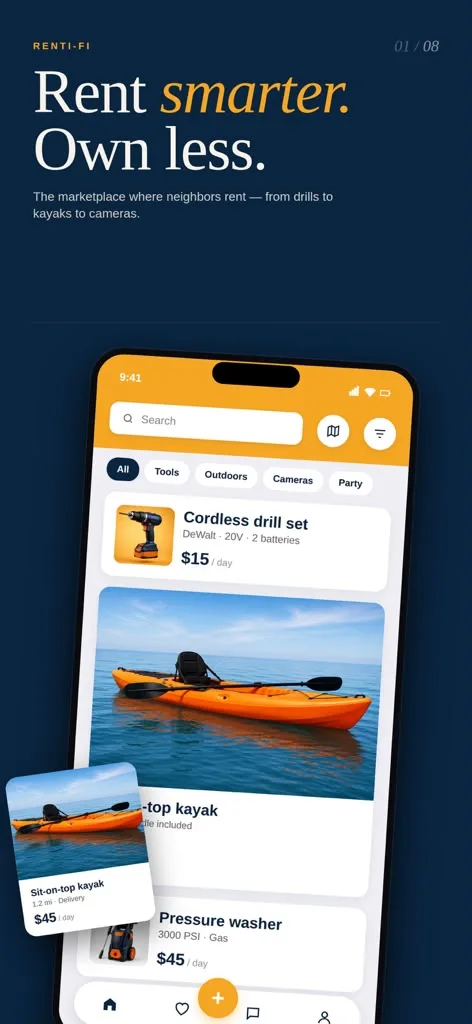
Book a local rental
Find an item
Use search or the Location and Category filters to find an item that fits your plans.
Check the listing
Check the rate, item details, and handoff options. Tap Message Owner if you have a question.
Choose dates and a handoff
Select an available rate, the dates you need, and a handoff time. Choose how you’ll receive and return the item. Enter an address if the booking requires one.
Review the total and book
Check the booking details and the amount shown. Tap Pay and book when everything looks right.
List an item you own
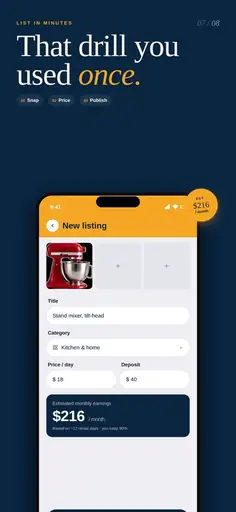
Start a listing
Tap the plus button on the browse screen. Add a clear title and choose the category that best describes the item.
Add photos and details
Show what the renter will receive. Include the item’s condition, size or model, and any accessories.
Set the rate and handoff
Enter your rental pricing and choose customer pickup and return, delivery and collection, or flexible handover.
Publish and make updates
Review your details and tap Create Rental. To make changes later, open Profile, select Rentals, and tap Edit on the listing.
Manage a booking through return
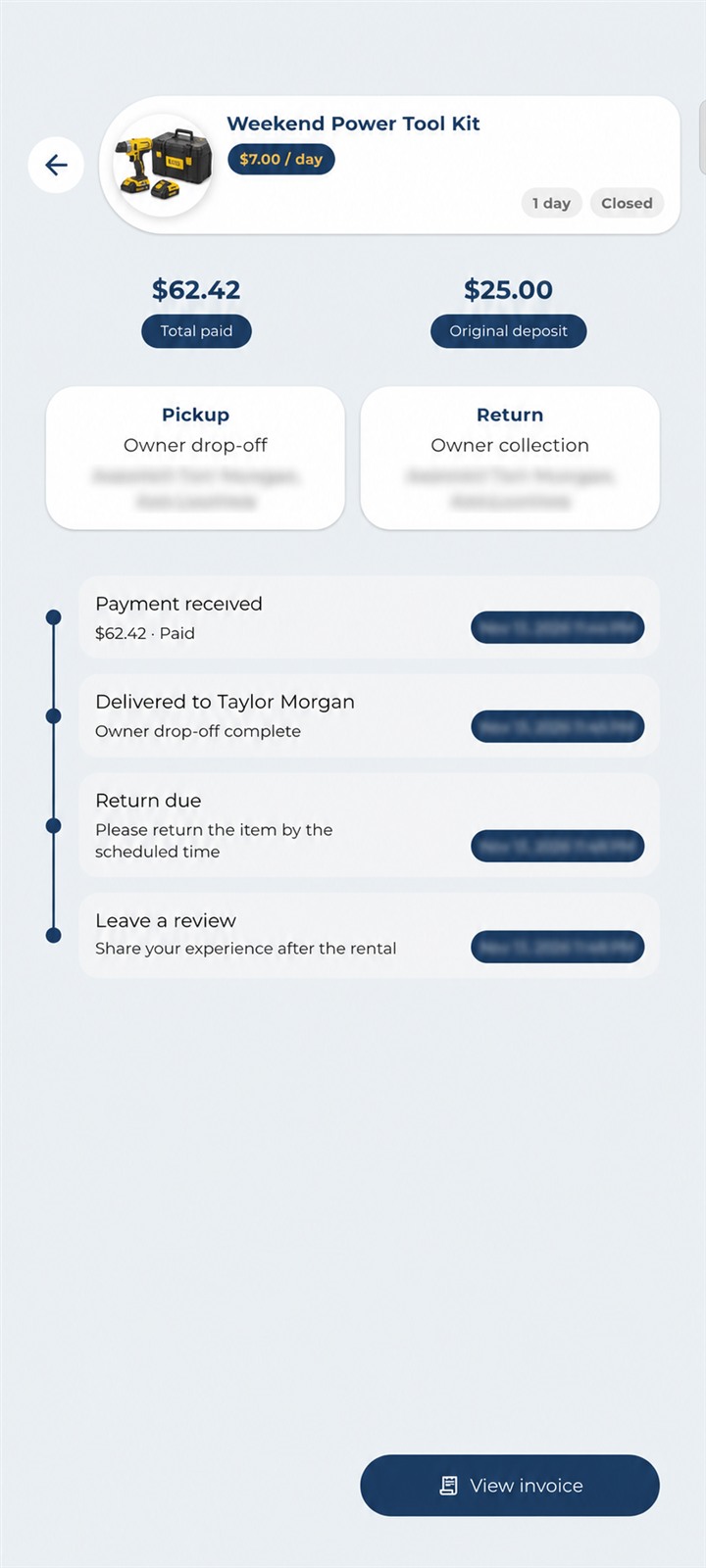
Open the booking
In Profile, choose My Bookings for an item you rented or Booked with me for an item you listed.
Check pickup and payment details
Review the agreed handoff details and booking status. Tap View invoice if it’s available.
Confirm the handoffs
Use the confirmation shown in the booking after the handoff takes place. A renter may see I received the item. The owner may see I got the item back after return.
Leave a review
Open the booking and tap Leave a review when the action becomes available.